
Shopify POS in-store: Unifying checkout, inventory and online sales for international customers
Shopify POS connects a physical store’s checkout system to the same inventory and orders as its online store. Customers can collect or return online purchases in-store, while every in-store sale automatically updates inventory across all sales channels.
For retailers welcoming international tourists, this unified system also makes it possible to integrate services such as VAT refunds directly into the point-of-sale system, rather than managing them through a separate process.
Guest article written by Nolwenn Drai, founder of RYSE, a Shopify Partner agency.
Retailers selling both online and in-store often rely on two separate systems that don’t communicate: a till system on one side and an e-commerce back office on the other. Inventory has to be updated twice, customers who have purchased online need to explain their order all over again to store staff, and a goodwill gesture offered in-store isn’t reflected anywhere else.
For retailers also serving international customers, every one of these friction points comes at a greater cost: less time to offer personalised advice, fewer services available and an in-store experience that fails to reflect the effort invested in the online store.
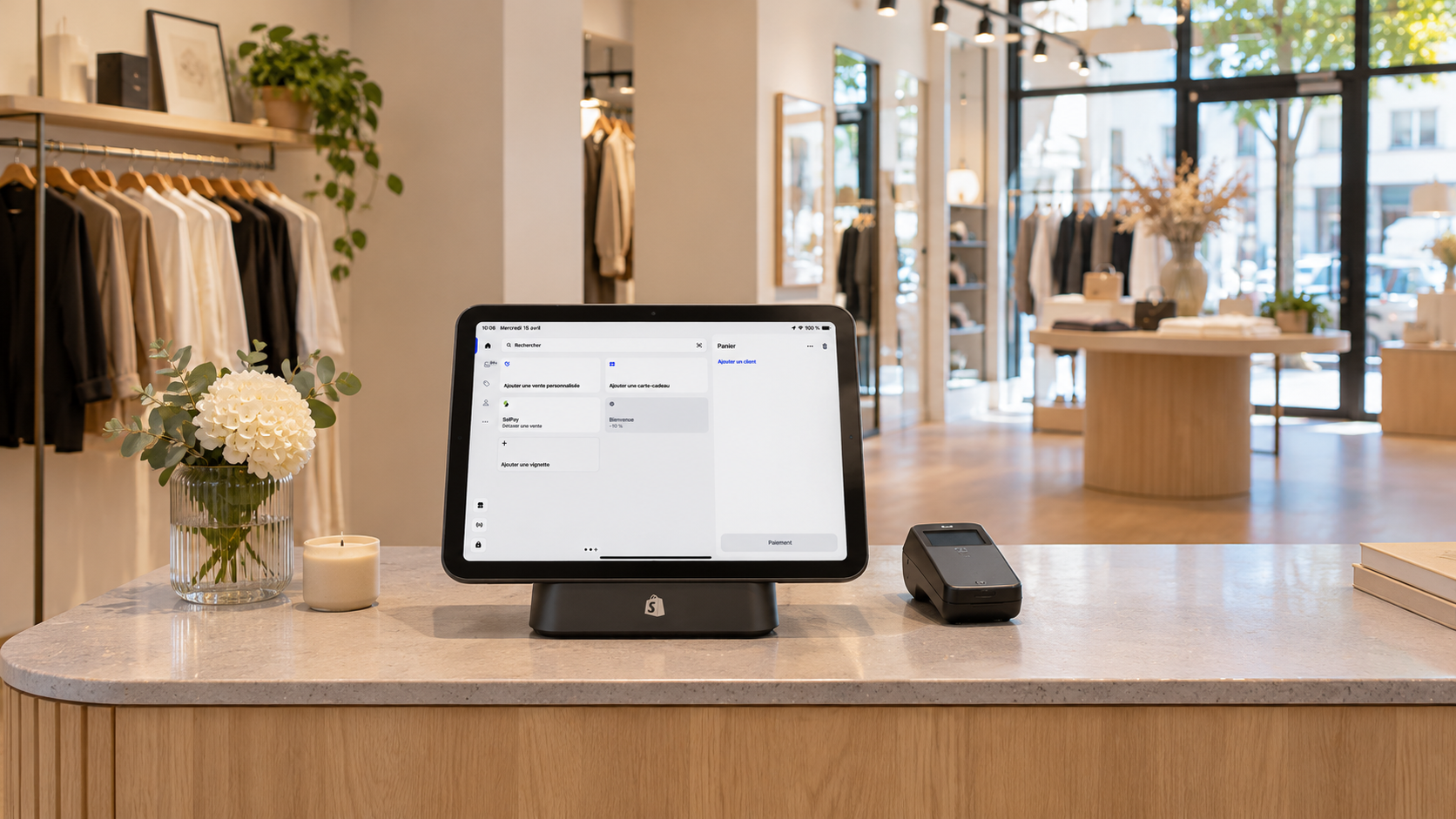
What is Shopify POS?
Shopify POS is Shopify’s point-of-sale system, available on iOS and Android devices. It syncs with the online store to track orders and inventory across all active retail locations and sales channels (Shopify Help Centre, Point of Sale).
In practice, in-store and online sales draw from the same inventory, and orders placed online are also visible in the POS system.
In short: Shopify POS isn’t a standalone till system. It uses the same order and inventory management system as the online store, accessible from a tablet or smartphone in-store.
How Unifying POS, Inventory and Online Sales Makes a Difference
Three key capabilities stand out across most implementations, as they address the challenges most frequently reported by in-store teams. They also answer a common question retailers ask before introducing a new POS system: how can you connect a physical store’s till system to an online store without having to manage two separate inventories?

In-store collection of online orders
Customers place an order online and collect it in-store. The order is already available in the same system, so there’s no need to look it up in another tool or enter the details again.
Ship
from store
An online order can be routed to a store with available stock and shipped directly from that location, rather than relying solely on a central warehouse.

Cross-channel
returns
An item purchased online can be returned in-store, and vice versa, without store staff needing separate access to the e-commerce back office.
Key takeaway: The most immediate benefit of a connected POS system isn’t the sale itself, but eliminating the need to update inventory separately for the physical store and the online shop.
Quick Wins Before Implementing Shopify POS in Your Store
- Plan the customer journey before choosing hardware
Mapping out real-world scenarios (click and collect, returns, standard purchases) helps avoid investing in equipment that doesn’t meet your needs. - Review your product catalogue
Incomplete product information online will also be incomplete at the till, as Shopify POS uses the same catalogue as your online store. - Test in a staging environment
Running through the entire process outside peak trading hours helps prevent surprises when processing real transactions. - Plan staff training
A unified system changes how store teams work at the till. Staff need time to familiarise themselves with it before serving their first customer. - Identify the services you want to integrate
VAT refunds, loyalty programmes and gift cards each integrate differently with a POS system that already shares sales data across channels.
Who Benefits Most from a Unified POS System?
| Retail Setup | Is a unified POS system useful? |
| Single physical store, no online sales | Low priority |
| Online store + one or more physical retail locations | Yes, click and collect and cross-channel returns eliminate the need to manage separate systems |
| Stores serving tourists or customers residing outside the European Union | Yes, particularly when offering additional services such as VAT refunds |
| Event-based retail or pop-up stores | Yes, Shopify POS can also be used in temporary retail spaces or at markets (Shopify, Point of Sale) |
VAT Refunds: An Additional Service Integrated into an Already Connected POS System
For retailers serving travellers who reside outside the European Union, tax-free shopping allows eligible customers to reclaim part of the VAT paid on their purchases, using a tax-free form validated when they leave the EU. In France, this scheme applies to travellers staying for less than six months, purchasing goods for personal use, with a minimum spend of €100.01 including VAT in the same store (French Customs, VAT on Exports).
Traditionally, this process was handled separately from checkout: paper forms, manually re-entered information and sales staff having to step away from the checkout process to complete the paperwork.
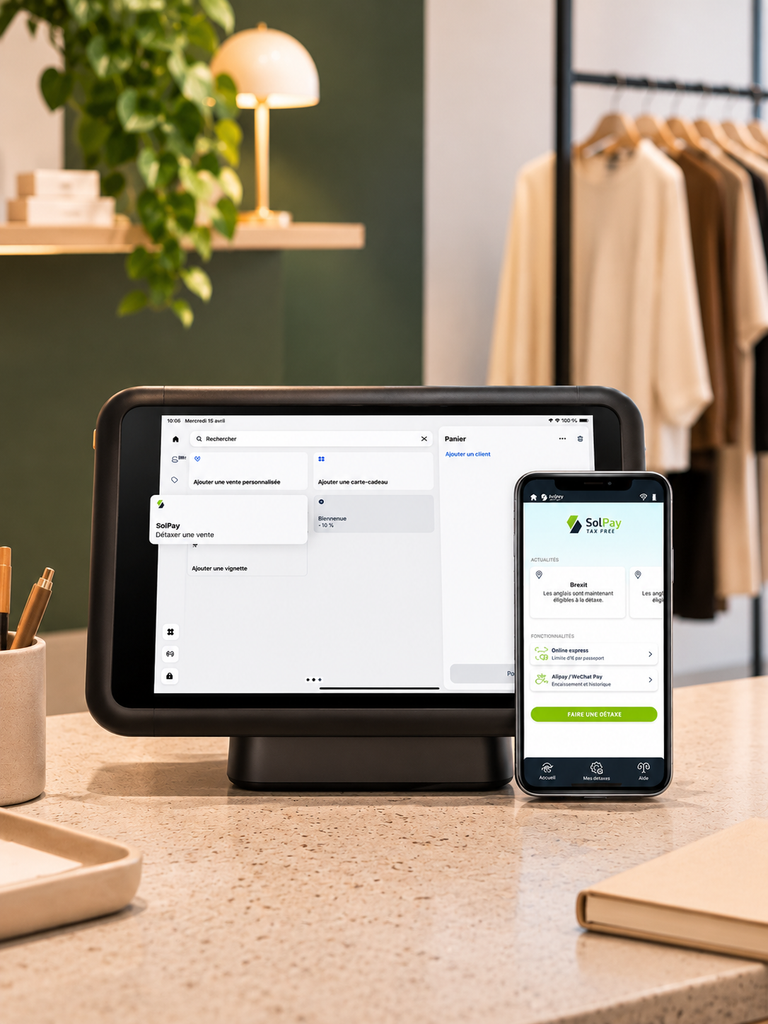
→ An already connected Shopify POS system changes this, as all the relevant transaction details (products, amounts and transaction references) are already available in one place. A VAT refund solution can use this existing data rather than starting from scratch for every customer.
This is exactly how the Détaxez avec SolPay app works. Available on the Shopify App Store, it generates tax-free forms directly from transaction data already recorded in Shopify POS, with no manual re-entry required.
Common Mistakes When Implementing a Connected POS System
- Purchasing hardware before defining the checkout process
A tablet and card reader don’t replace the need to establish who does what at checkout and how different types of transactions should be handled. - Overlooking the product catalogue during preparation
Poorly named products or incomplete variants in the online store will carry over to the POS system. - Skipping testing in a test store
Testing workflows only in a live retail environment means discovering potential issues in front of customers. - Underestimating staff training
The time-saving benefits of a unified system only become apparent when store staff understand the new workflows, including click and collect, cross-channel returns and additional services. - Confusing software configuration with regulatory compliance
Configuring the POS system and its workflows does not replace the need to ensure tax compliance and meet applicable POS certification requirements, which should be reviewed with the retailer’s accountant.
When Shopify POS Isn’t a Priority
For online-only retailers with no physical store, POS integration isn’t relevant. It’s better to focus on optimising product pages and the online checkout experience.
Similarly, a retailer operating a single physical store with no plans to sell online in the near future may prefer to postpone investing in this technology. The value of Shopify POS increases as the number of sales channels and retail locations grows.
Sources
- Point of Sale, Shopify Help Centre
- Point of Sale (POS) for Businesses, Shopify
- Détaxez avec SolPay, Shopify App Store
- VAT on Exports and Tax-Free Shopping Forms, French Customs
RYSE is a Shopify Partner agency specialising in designing, migrating and optimising Shopify stores, both online and in-store. For guidance on setting up Shopify POS and connecting it to your online store, take a look at our Shopify POS overview.
Frequently Asked Questions
Find quick answers to your questions.
-
What is Shopify POS?
Shopify’s point-of-sale system allows retailers to sell in-store while staying connected to their online store, keeping orders and inventory synchronised across all sales locations.
-
Can Shopify POS work without an online store?
Yes, but its main advantage sharing inventory and orders across sales channels becomes most valuable when a retailer also sells online, operates multiple stores, or both.
-
Can customers return online purchases in-store with Shopify POS?
Yes, cross-channel returns are supported. Items purchased online can be identified directly in the in-store POS system, without having to re-enter information into a separate tool.
-
Is tax-free shopping included in Shopify POS?
No, Shopify POS is a point-of-sale system. Tax-free shopping can be enabled through a third-party app such as Détaxez avec SolPay, which uses the transaction data already recorded at checkout.
-
How long does it take to set up Shopify POS in a store?
This depends on the number of stores and the product catalogue that needs to be reviewed beforehand. Defining the checkout process, assigning responsibilities and testing the system in a pilot store typically have a greater impact on the timeline than installing the hardware itself.
-
Does Shopify POS support multiple store locations?
Yes, inventory and orders can be tracked across all physical store locations and active sales channels connected to the same Shopify store.
-
Does Shopify POS require specific hardware?
Shopify POS runs on iOS and Android devices. The choice of card reader and accessories depends on sales volume and the type of retail location, whether it’s a permanent store, pop-up shop or trade show.